 2024
2024A workspace for clinical trial teams.
Clinical teams used three platforms to set up a study. I designed one workspace for study setup, sites, and participants, with access based on each admin’s role.
- My role
- Product Designer
- Scope
- 0 → 1 · IA & workflows · Stage 1
- Constraints
- Existing patterns · regulated context · fixed deadline
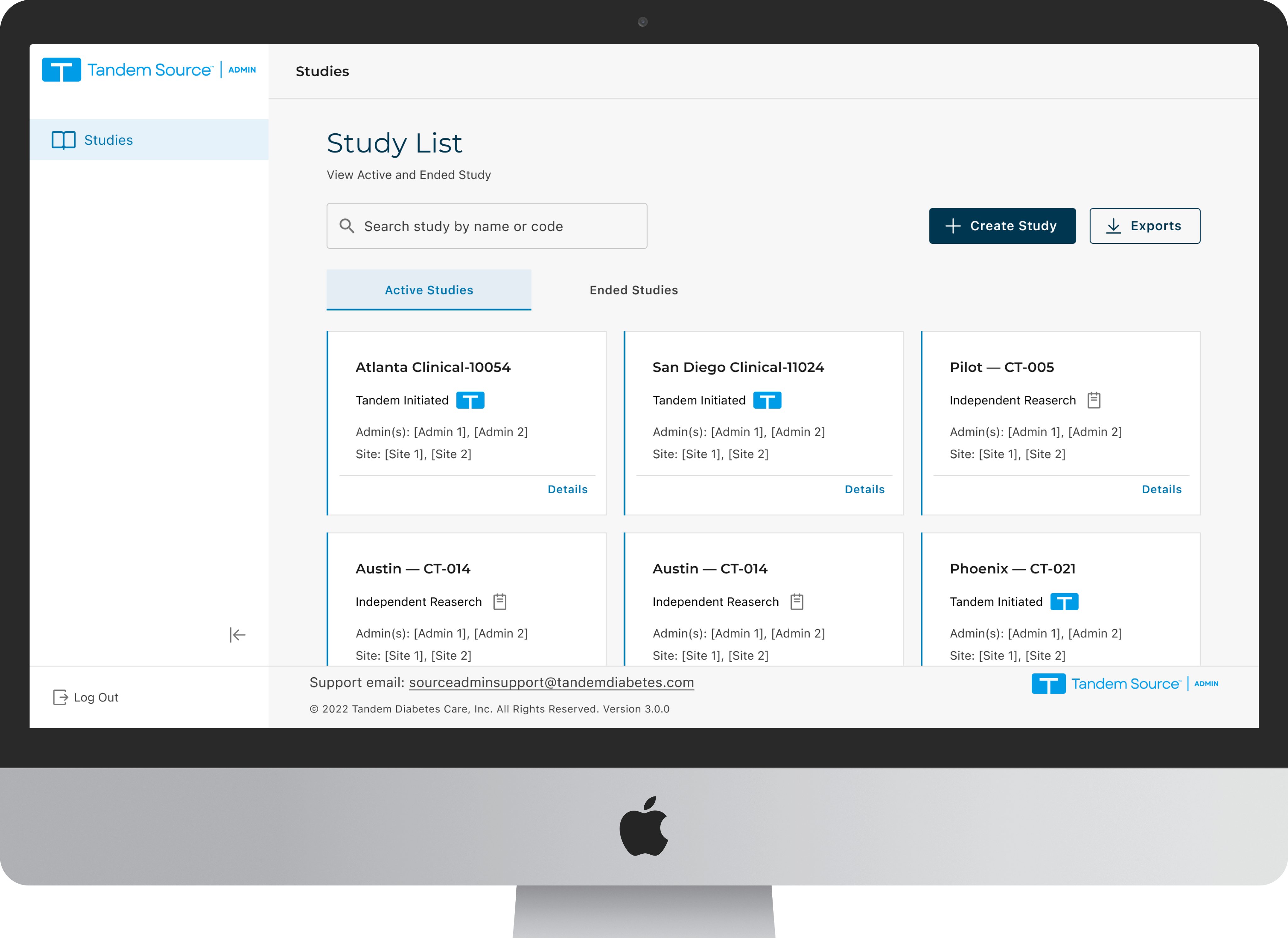
I organized the workspace by study, site, and participant, and separated the responsibilities of the two admin roles.
Two admin roles needed different workflows.
Clinical Affairs Admins set up studies and manage their lifecycle. Study Admins handle day-to-day participant operations. The old workspace did not make that distinction clear.
Clinical Affairs Admin
Creates and configures studies, adds sites, and assigns the admins responsible for initial enrollment.
Study Admin
Manages participant accounts, exports participant lists and reports, and supports execution at each site.
Both roles needed to use the same system while keeping their responsibilities separate. The design also had to fit the patterns of the existing medical platform.
Setting up a study took three platforms.
“I have to juggle three different platforms just to set up one study.”Clinical Affairs Admin
Create
Study setup crossed three platforms. Teams needed a single entry point for the whole task.
Find
Dozens of active and ended trials made it difficult to identify the right study by name or code.
Manage
The system structure did not match site-by-site trial operations, causing repetitive navigation.
I used these findings to revise the hierarchy, study list, and creation flow.
Organizing the workspace around trial operations.
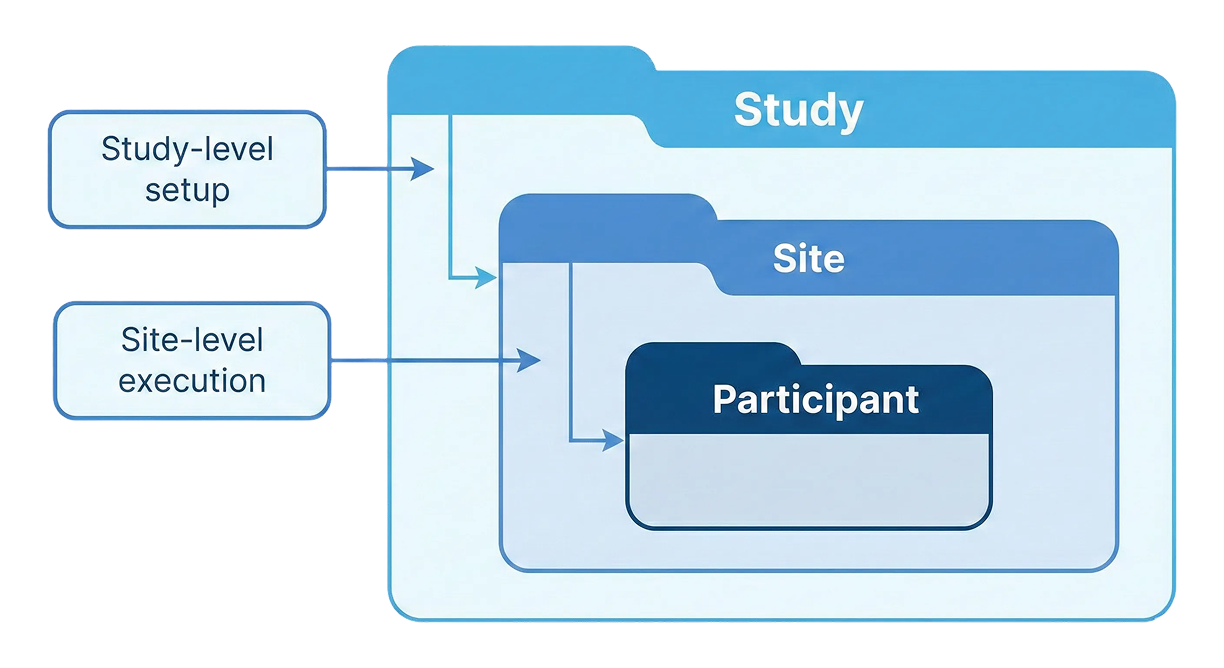
Match the hierarchy to trial operations.
I organized the workspace around Study → Site → Participant. Shared setup belongs at the study level; day-to-day execution stays within the relevant site. This keeps actions within the right study or site and reduces backtracking.
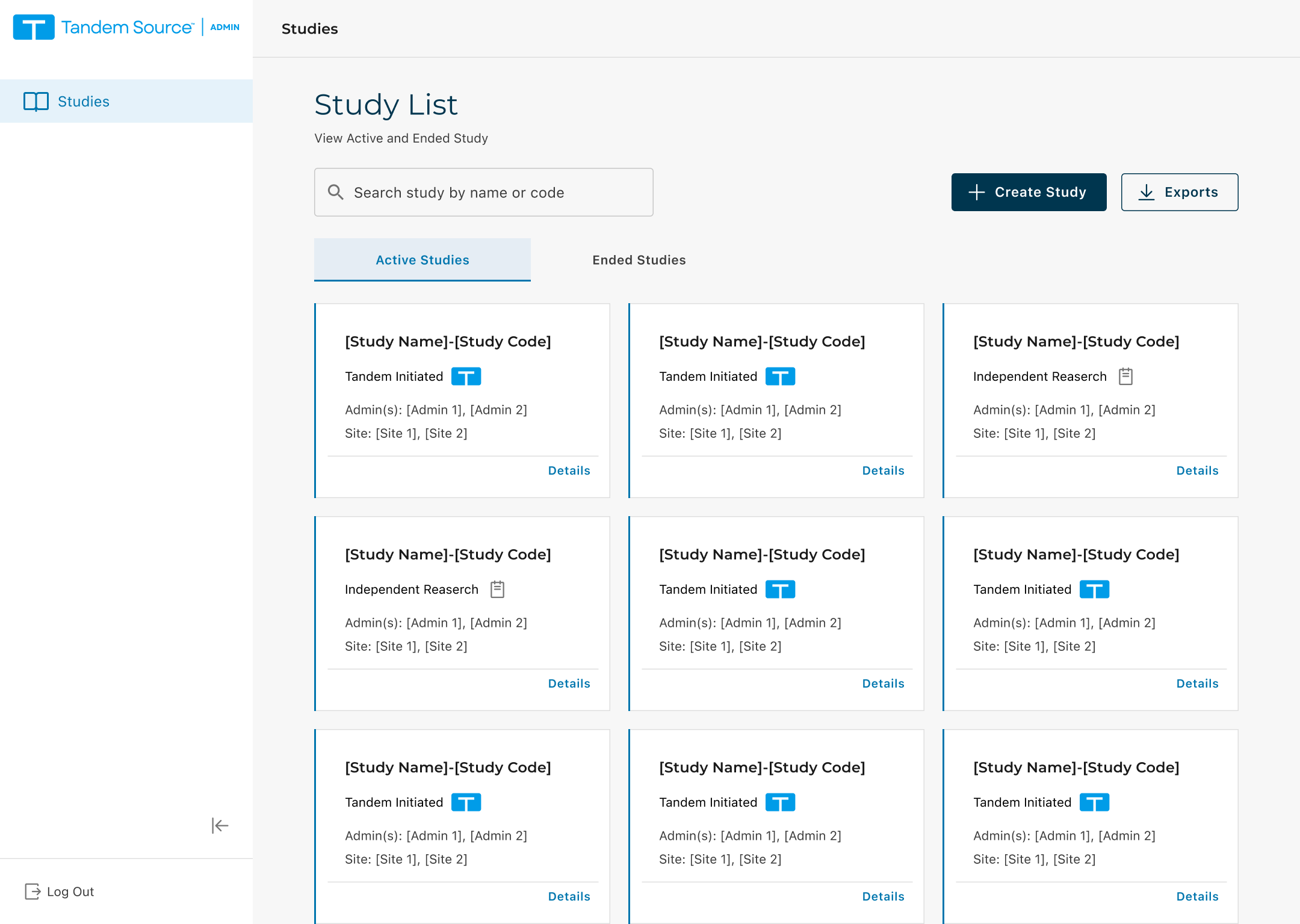
Make the right study easier to recognize.
The dense table gave every field similar weight. Study cards emphasize the identifiers admins look for first: code, name, type, and status. Separating active and ended studies narrows the scan before users open a record.
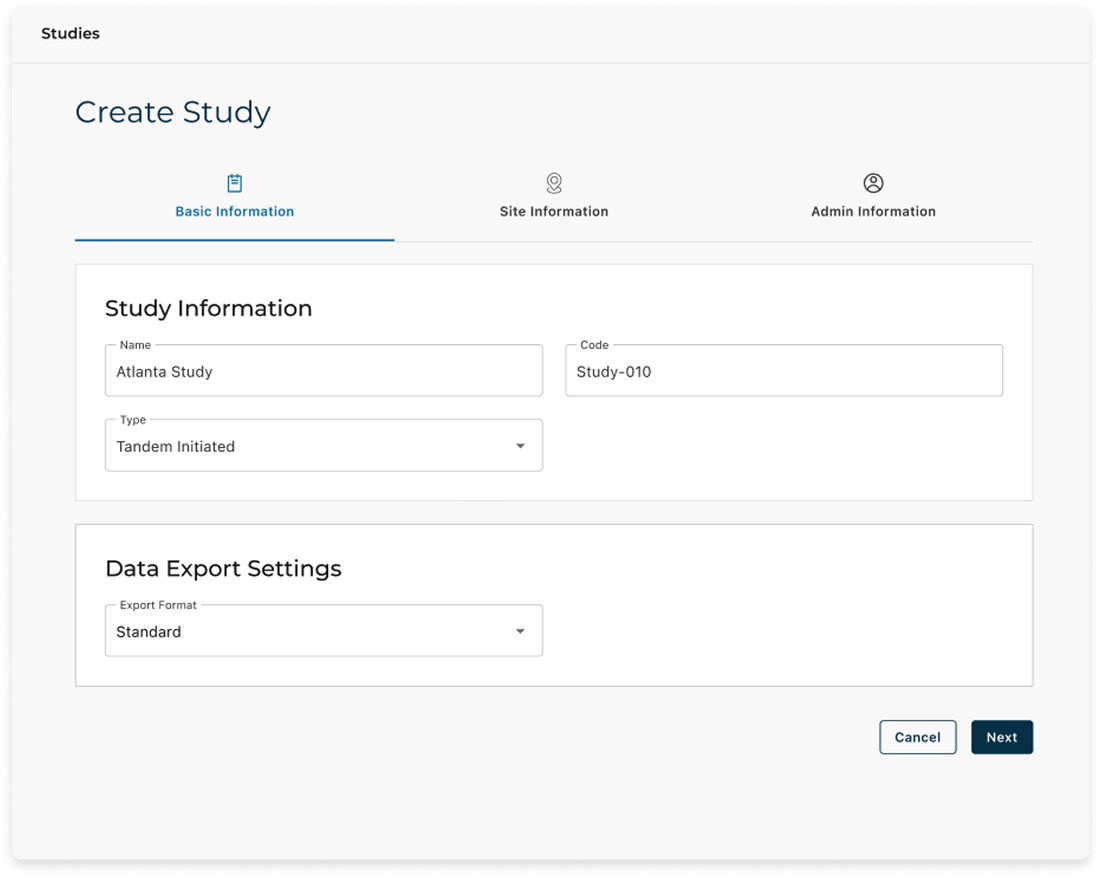
Create a study in one flow.
A guided creation flow brings Basic information, Sites, and Admins into one sequence. It shows required inputs at the relevant step and makes progress visible, replacing the handoffs across three tools.

Moving “End Study” out of everyday work.
During validation, people accidentally clicked “End Study.” I revised where the action appeared to reduce that risk.
On the study card
Fast to access, but exposed during routine scanning.
Inside study details
Lower exposure, but still available in the working interface.
Through a controlled path
Removed from the everyday interface to reduce accidental clicks.

I accepted more steps to end a study because the earlier placements exposed the action during routine work.
From study setup to work at each site.
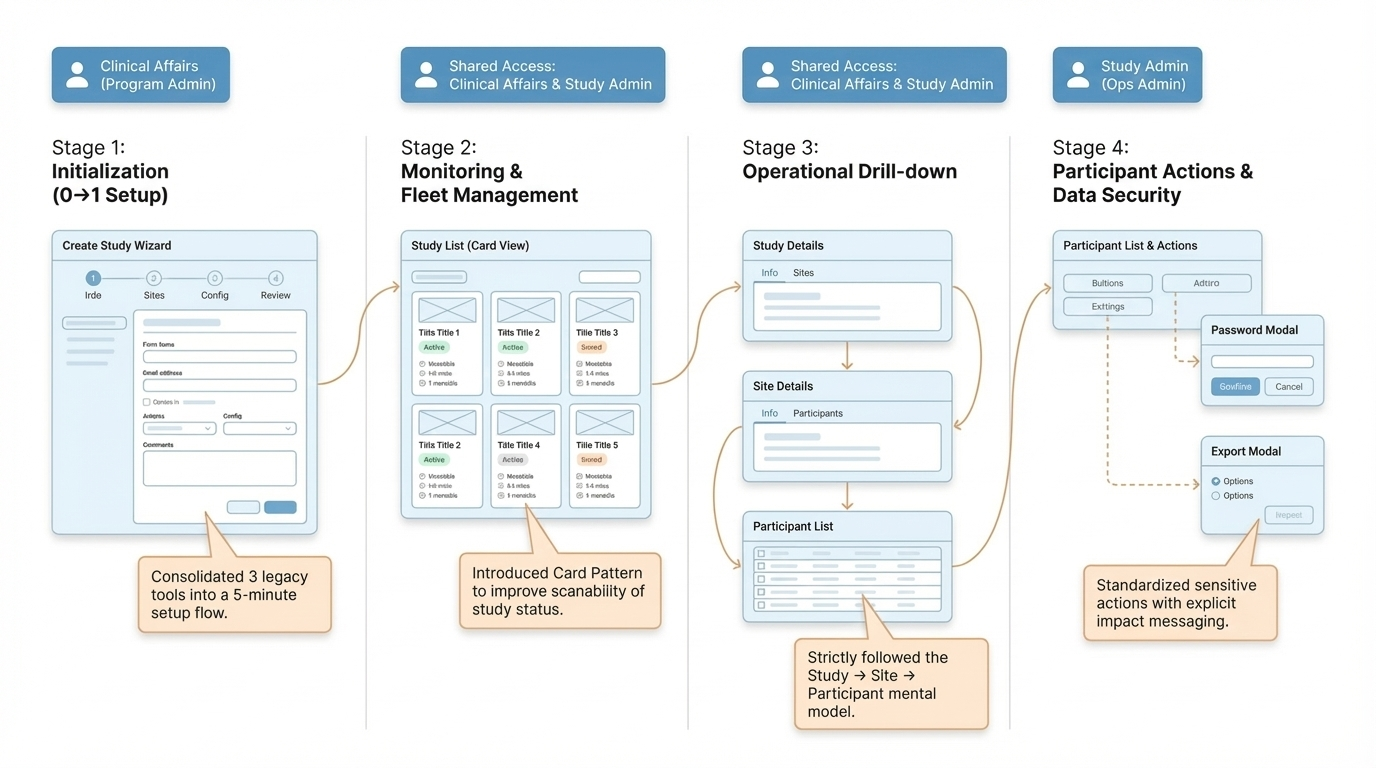
01 · Set up a study
A Clinical Affairs Admin creates a study through one guided sequence.
02 · Add participants
Participants are added at the study level before site-level execution begins.
03 · Export site-level data
A Study Admin exports participant information for reporting and audits.
What we learned at Stage 1.
Ease-of-use rating
Moderated usability sessions with 5 participants, rated after task completion.
Used at Stage 1 launch
The Clinical Trial lead confirmed that the workflow fit the team’s day-to-day operations.
Hierarchy used in later work
The Study → Site → Participant model carried into subsequent Source Admin work.
Less exposure to “End Study”
The End Study action moved out of the routine interface and into a controlled path.
Organizing the work by study, site, and participant helped me decide what belonged on each screen. I also had to check that new patterns fit the task and felt familiar within the existing platform.