 2023
2023Bringing AI experiments into one workspace.
AI teams built in notebooks, evaluated with scripts, and compared results across separate tools. I worked on bringing those steps into one visual workflow.
- Focus
- AI workflow tooling
- Design work
- Authoring, evaluation & comparison
- Users
- Engineers, data scientists & PMs
I used a shared visual workflow to keep edits, tests, and results tied to the same execution logic.
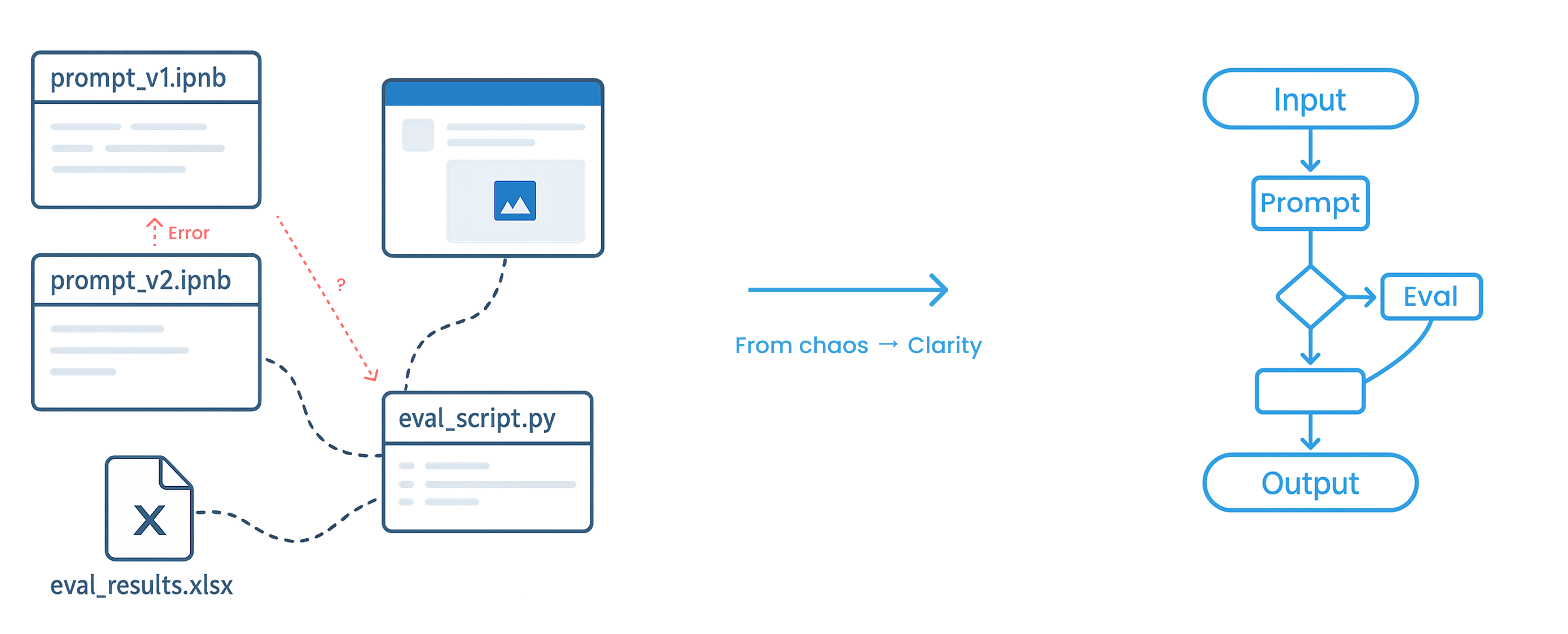
Experiments were spread across tools.
Each experiment produced more scripts, configurations, and results to keep track of. As flows grew, teams struggled to trace what changed and understand which version worked best.
Logic was hard to follow
Engineers had to piece together execution paths across code and configuration panels.
Evaluation did not scale
Data scientists relied on one-off tests and manual scoring instead of a repeatable comparison workflow.
Decisions were hard to share
Product managers lacked a shared view of prompt performance and the reasoning behind changes.
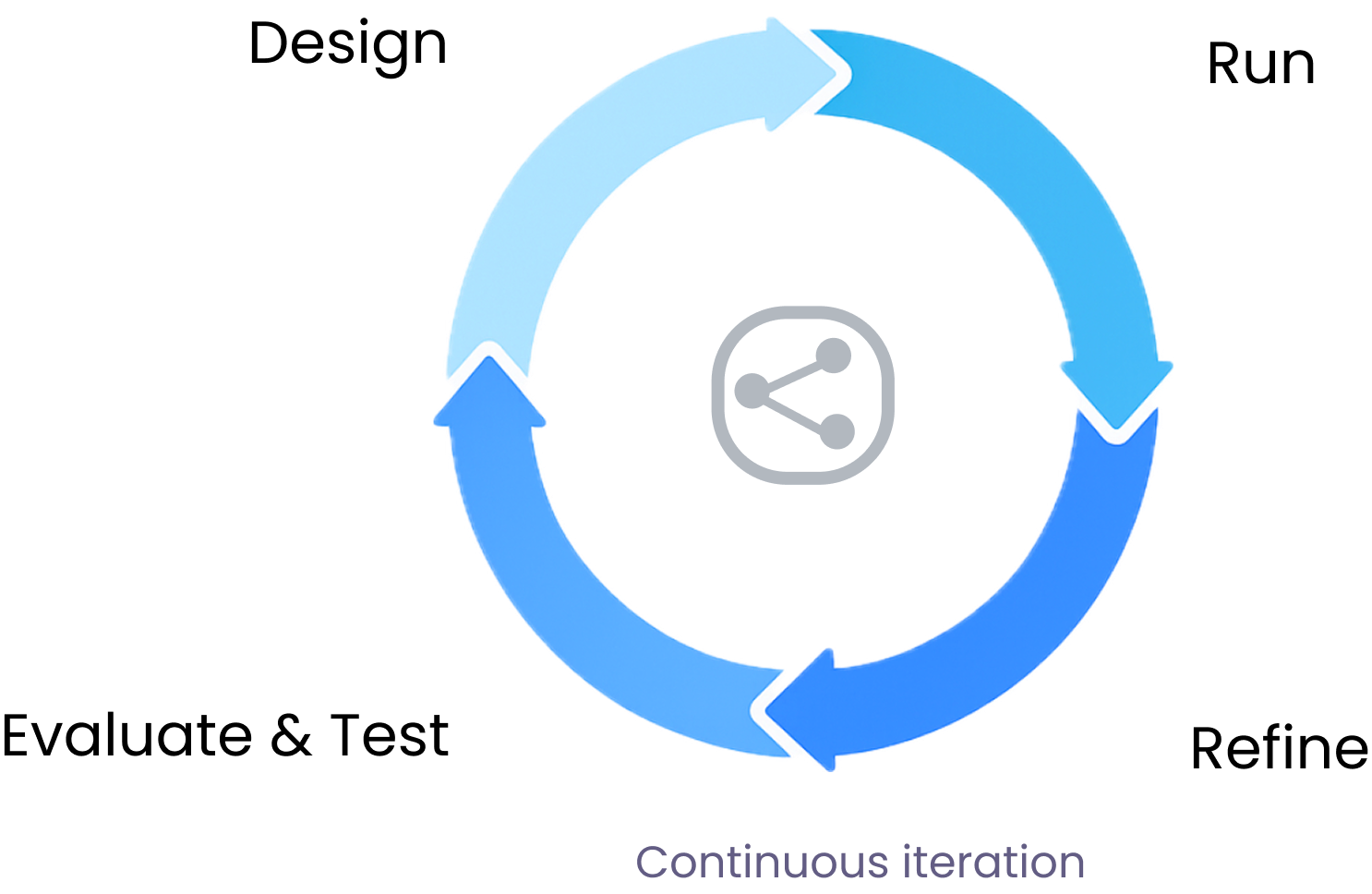
How teams built and tested experiments.
Product logs, expert interviews, and contextual inquiry showed how teams ran experiments. Each team could work flexibly, but the lack of a shared structure made experiments hard to reproduce.
Teams authored in local notebooks, wrote ad hoc scripts for evaluation, and used a separate deployment pipeline. I needed to account for the handoffs between those tools.
How could teams experiment freely while keeping the logic, evaluation, and results understandable to everyone involved?
Using the same graph to build, test, and compare.
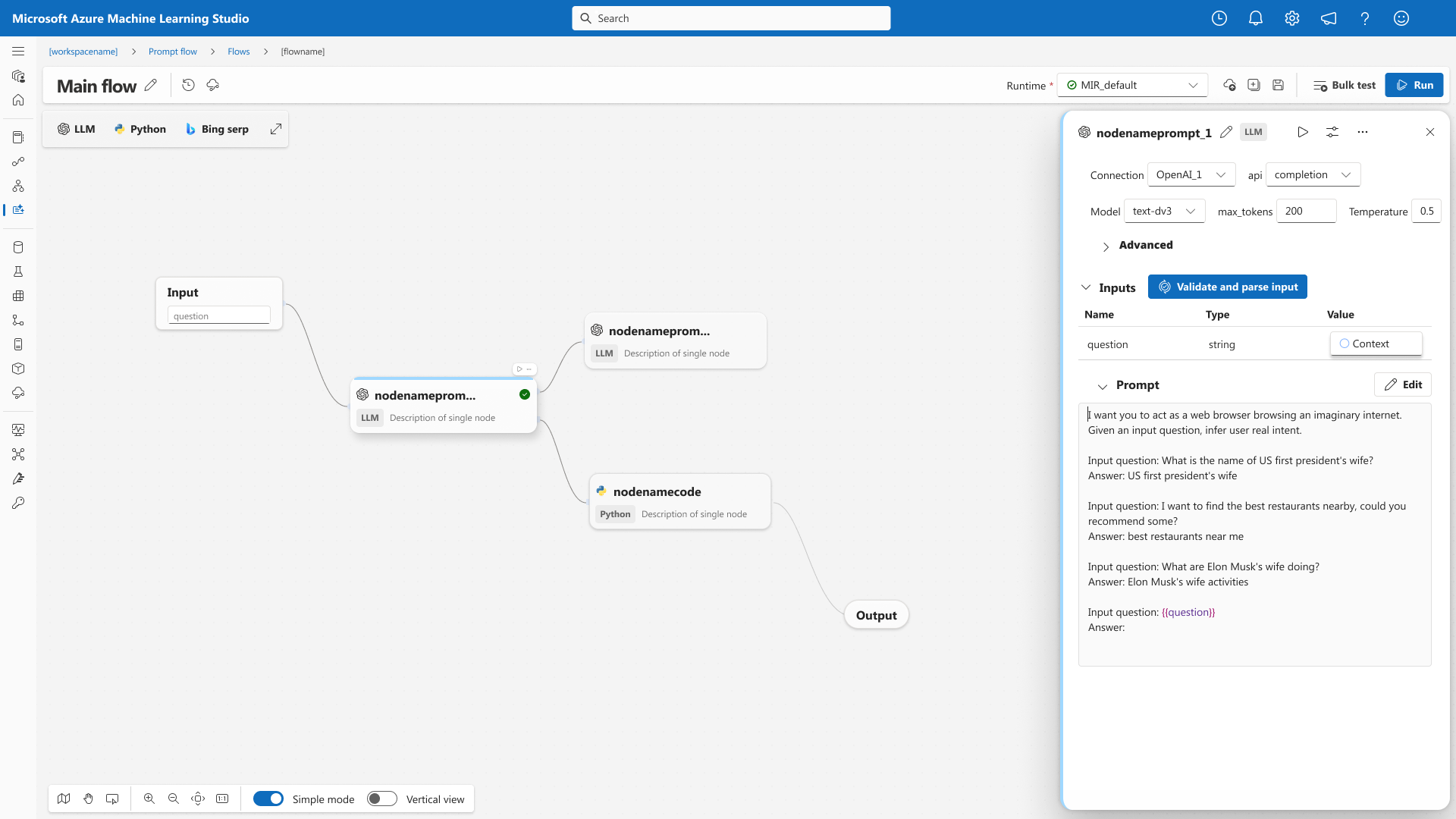
A directed acyclic graph shows the steps in a flow and how data moves between them. I used that structure across authoring, testing, and comparison.
Show how each node fits into the flow.
The graph shows how nodes connect. Engineers can configure and inspect a node in place while keeping the rest of the execution path in view.
Test variants from the authoring view.
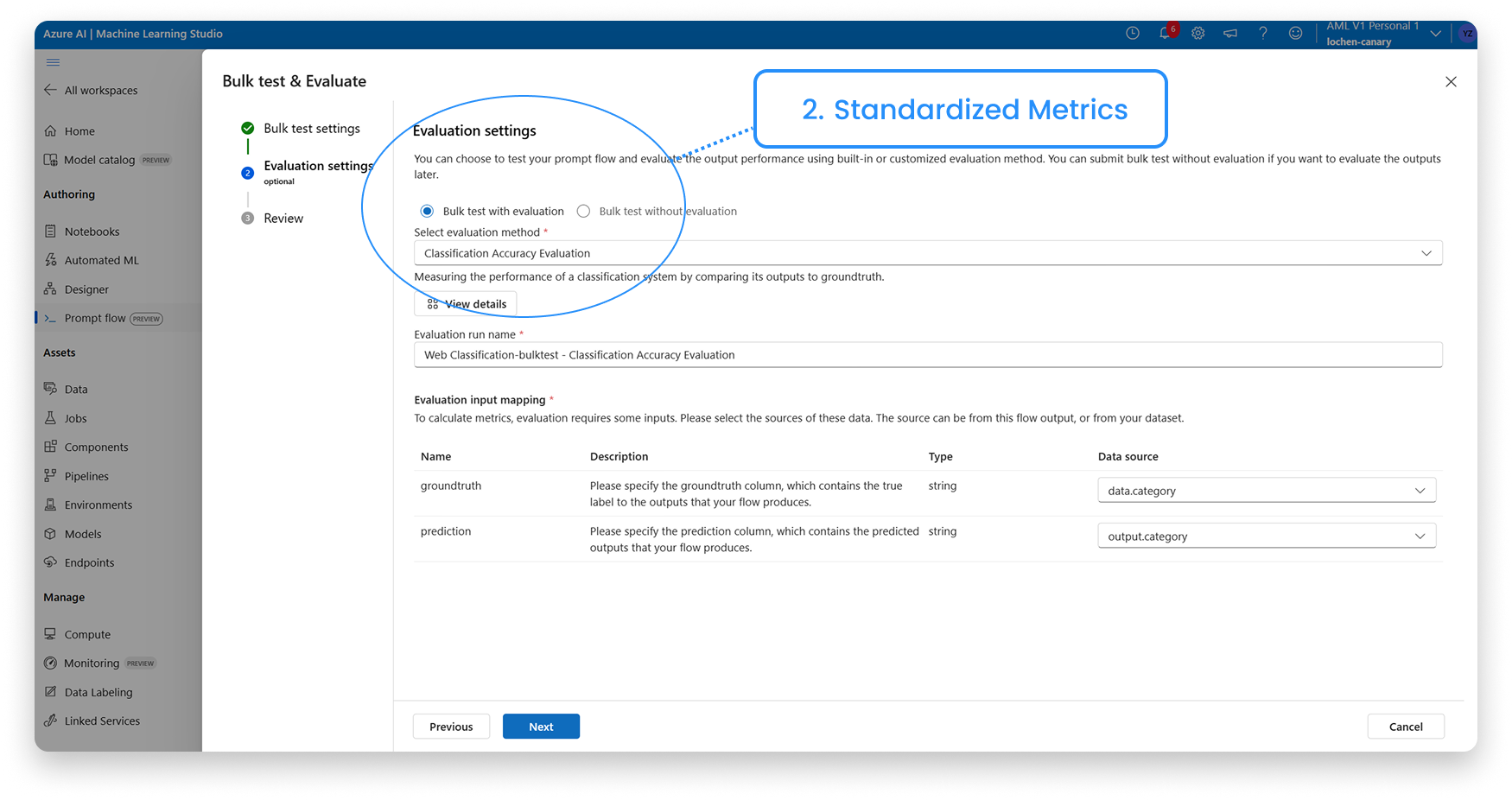
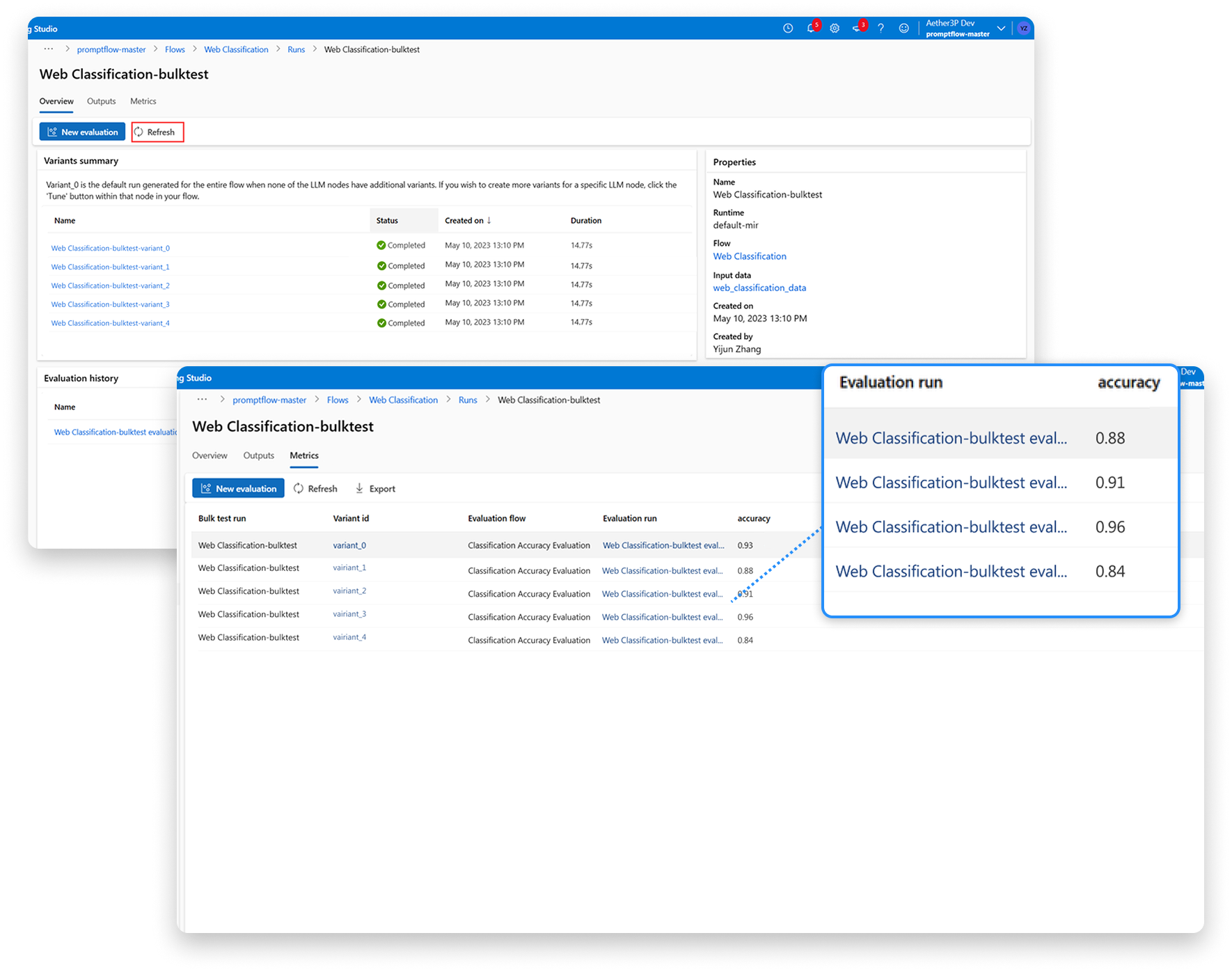
Bulk testing and evaluation use the same configuration flow. The results use a common format, so teams can compare variants against the same metrics and decide what to try next.
Reuse flows through sharing and deployment.
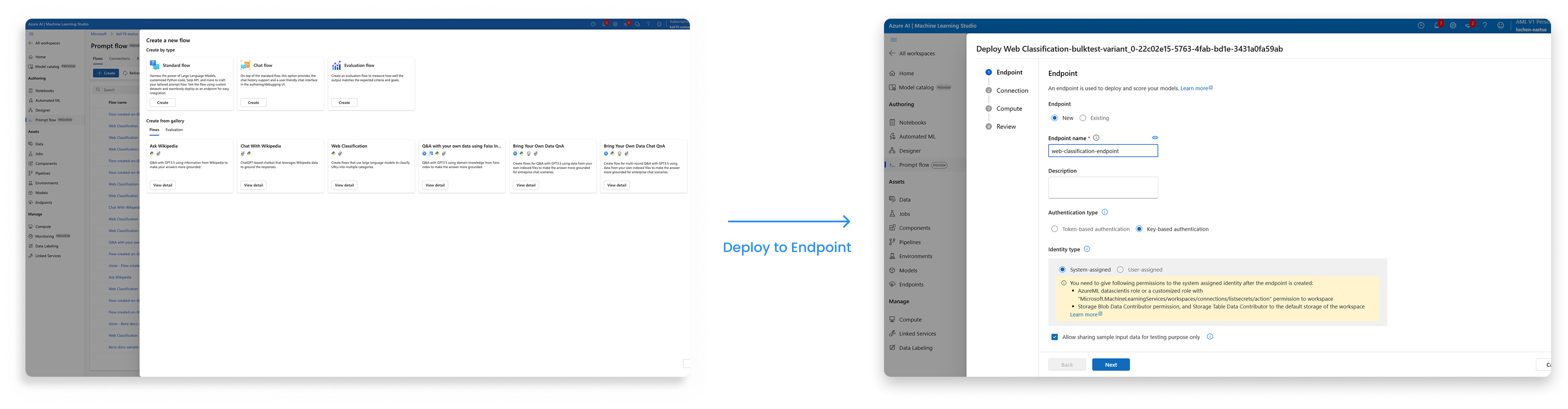
The shared gallery lets teams find and reuse flows. The deployment path keeps the flow’s structure available during handoff.
Refining the editor and test setup.
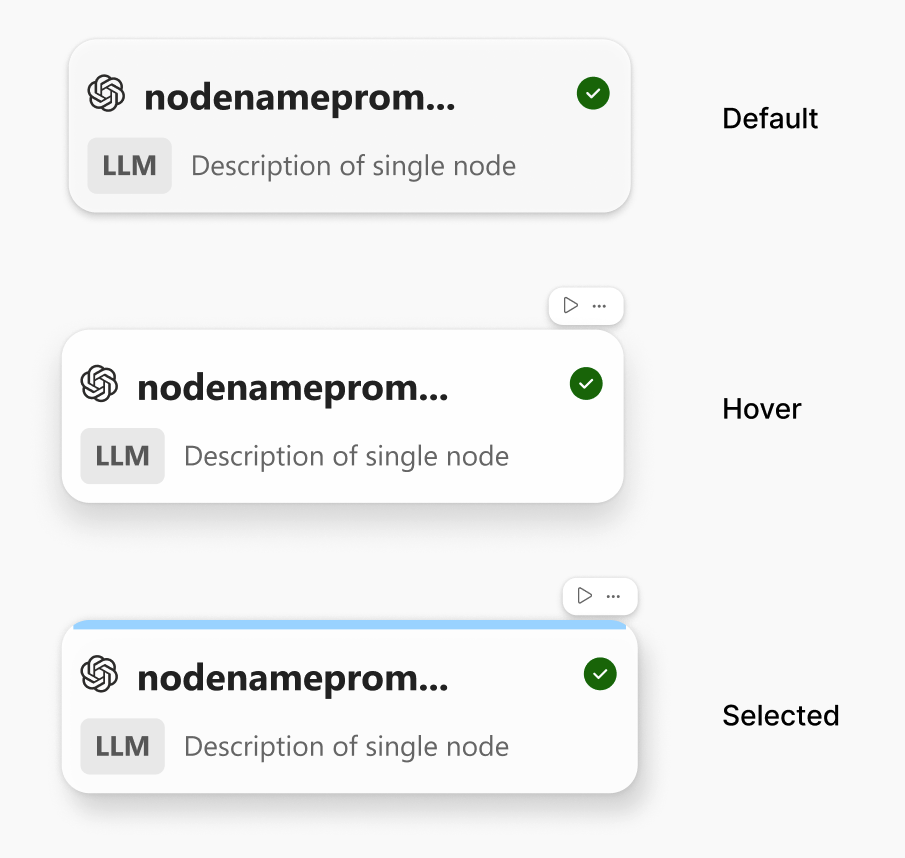
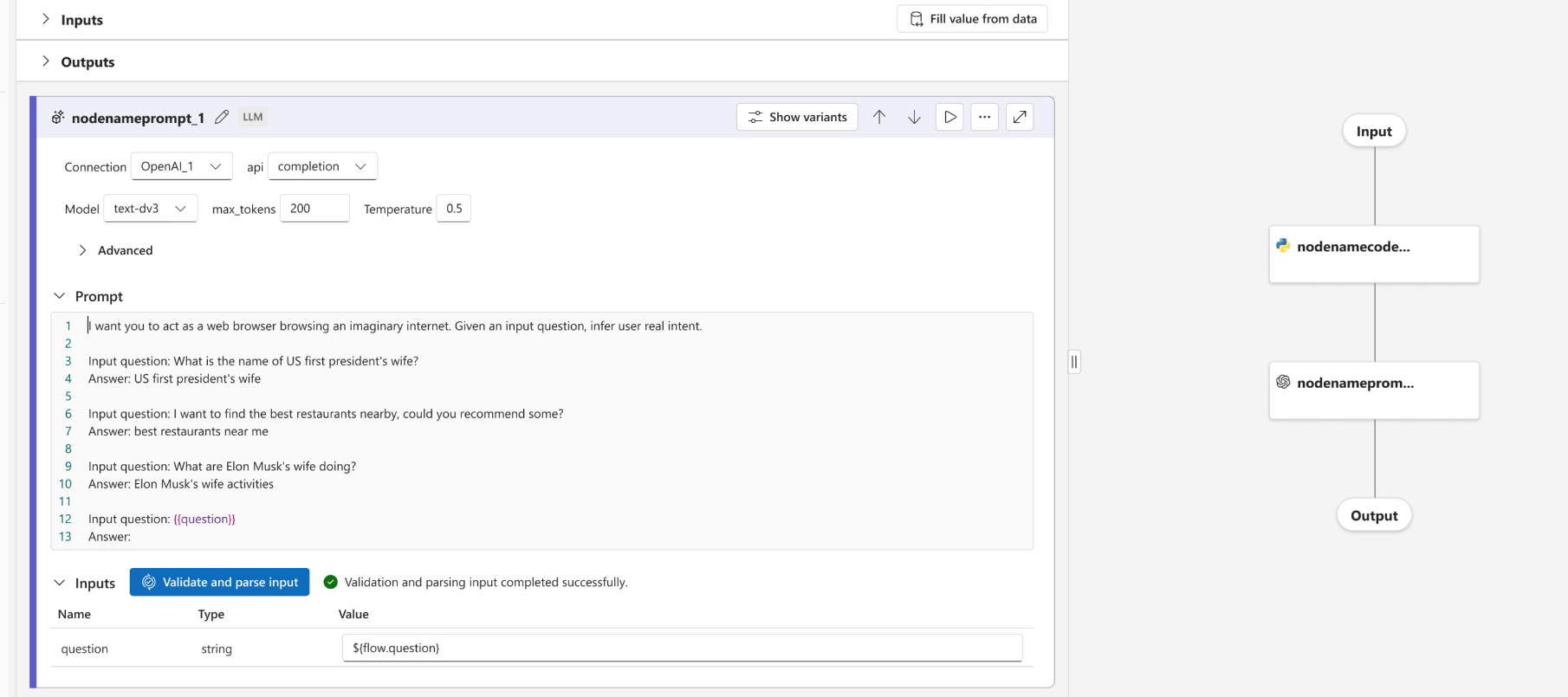
A clearer hierarchy for larger flows.
Larger flows were hard to read. I separated inputs from outputs and adjusted the node hierarchy and graph placement so users could follow the execution path.
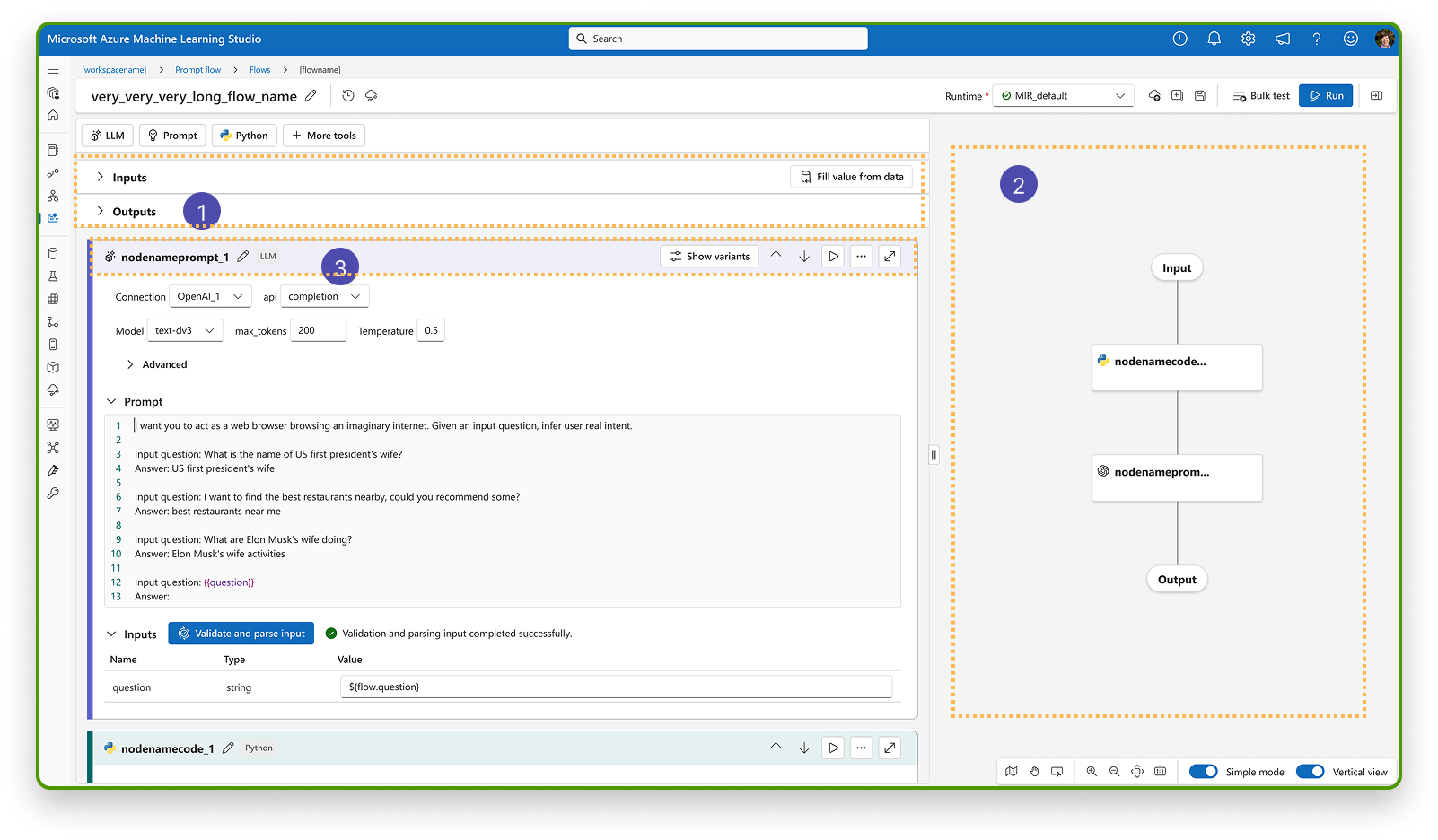
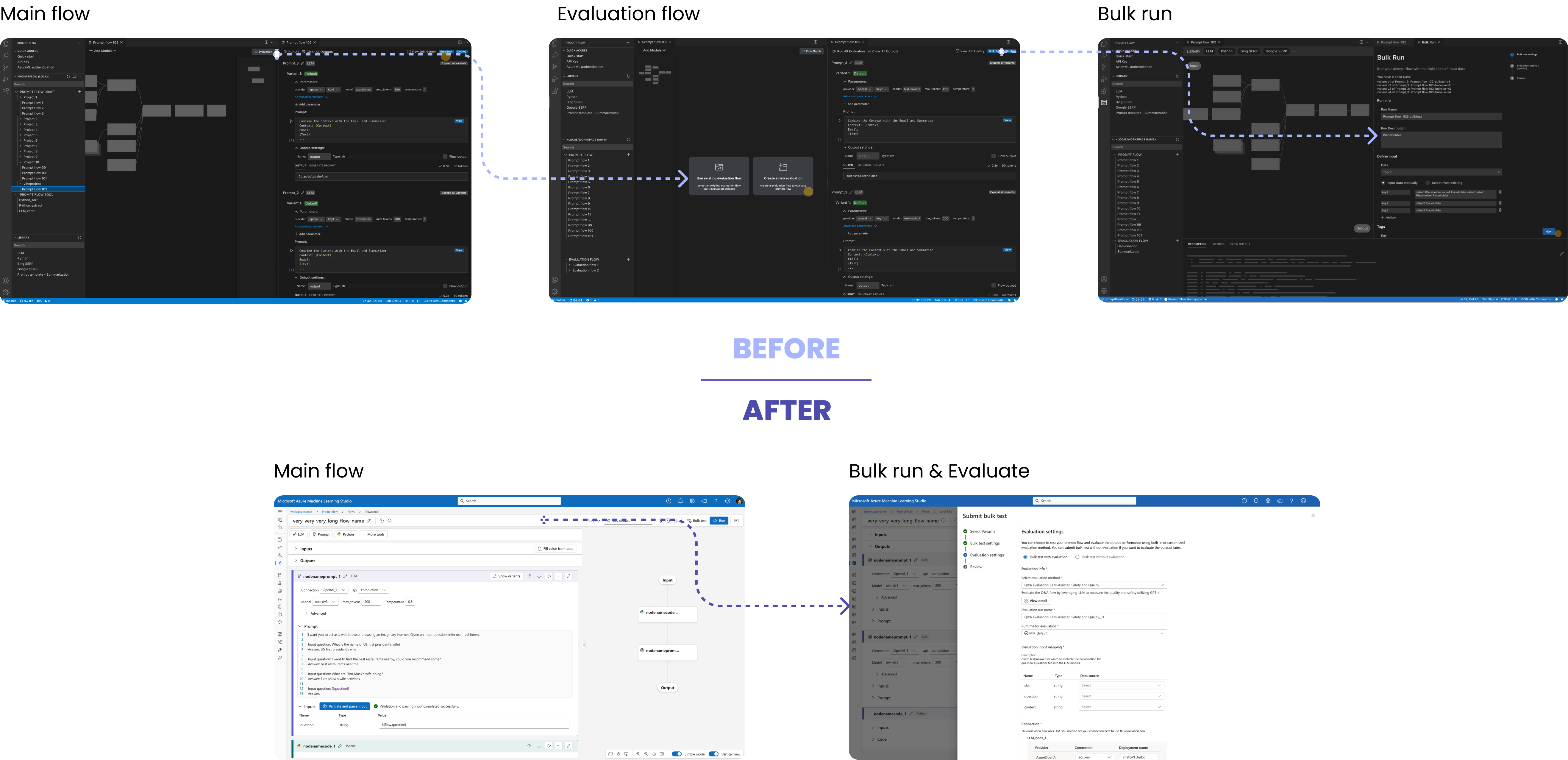
One setup flow for testing and evaluation.
Previously, Bulk Run and Evaluation required separate setup. Bringing them together removed repeated configuration and reduced context switching.
Results that can be compared directly.
Evaluation results were scattered across runs. A common result structure supports side-by-side review of different variants.
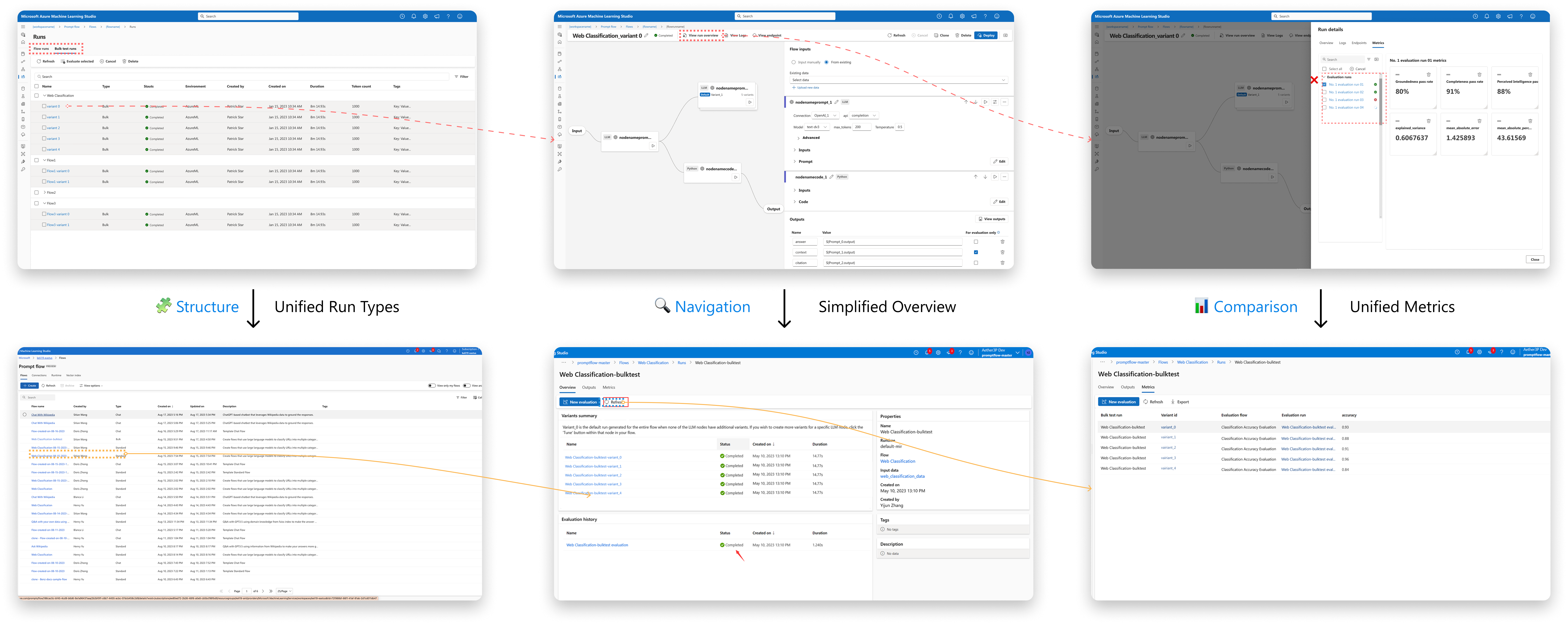
What changed in the workflow.
Less tool switching
Authoring, bulk testing, and comparison sit within the same workflow.
Less repeated setup
Shared configuration carries context between testing and evaluation.
Reused in Azure AI
The workflow pattern was incorporated into Azure AI tooling.
I focused on the handoffs between features. Using the same workflow model meant teams could carry their setup and results into the next experiment.
What if editing stayed on the canvas?
This exploration is separate from the product work above and was not a shipped Microsoft product change.
After leaving Microsoft, I explored editing directly on the graph. Selecting a node opens an inspector beside it, with the surrounding flow still visible.